Search the details
Find words, places, prices, dates, links, and categories pulled straight from your screenshots.
A smarter screenshot library
SnapRecall AI reads what you saved, gives it a home, and helps you act on it before the moment you meant to remember has passed.
From saved image to useful memory
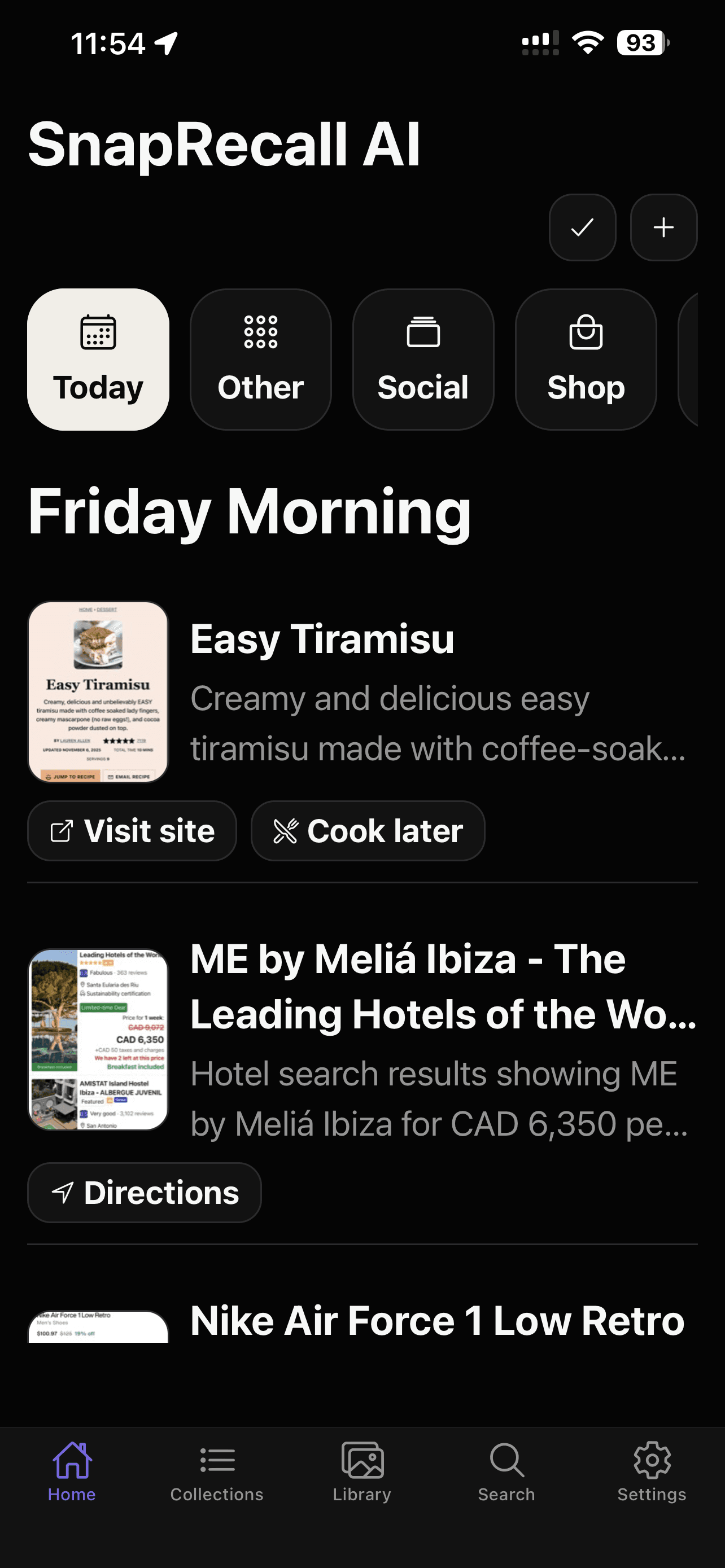
A screenshot usually starts as a promise to your future self: read this, book that, remember this, act before it’s gone. SnapRecall AI keeps the promise. Every screenshot gets a plain-language title, a short summary, a category, and a next step, so it’s just as useful the day you open it again as it was the moment you saved it.
Automatically organized
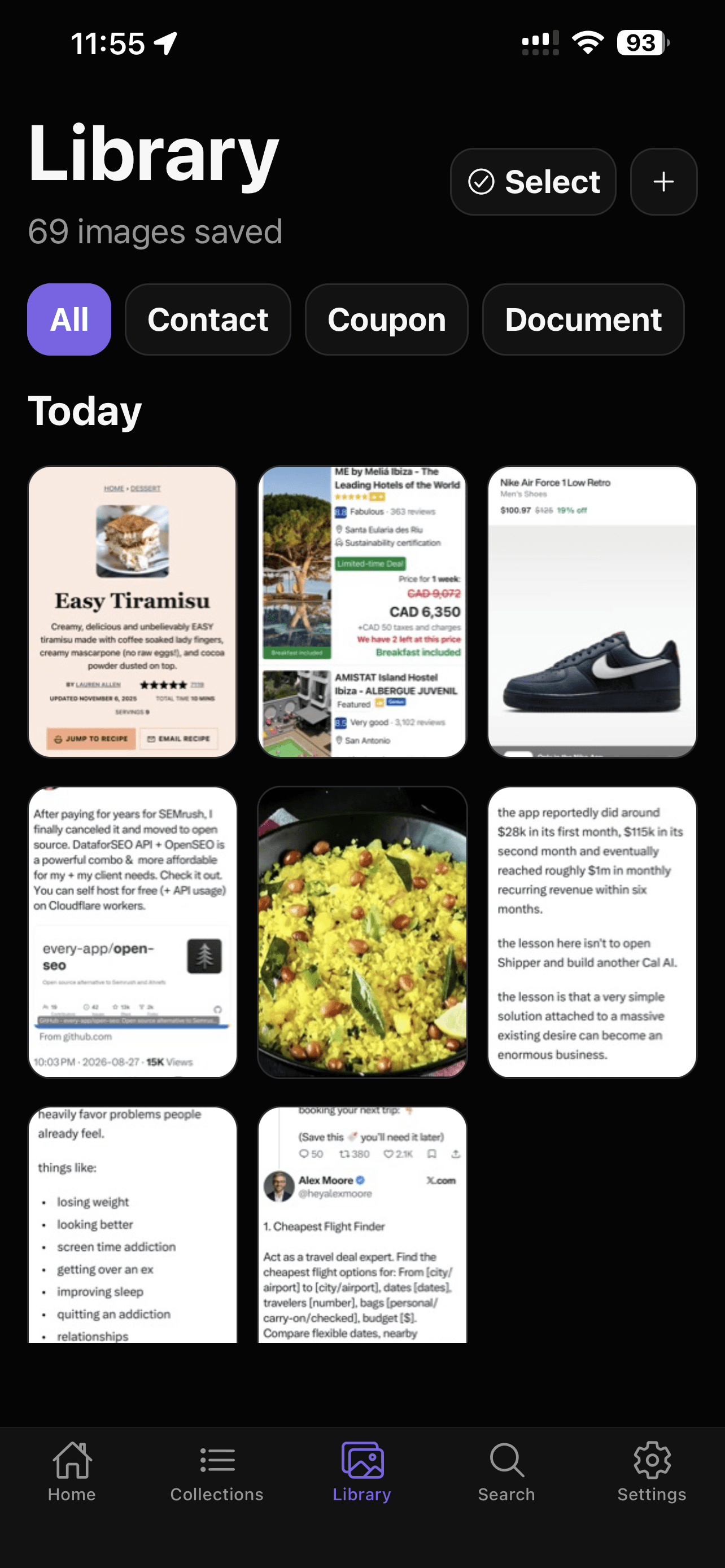
Screenshots become a browsable timeline instead of thousands of nearly identical thumbnails. Filter by type, such as a contact, coupon, or document, and build your own collections around what actually matters to you.
More than a grid
Open the app and each screenshot already knows what it is: a recipe, a hotel deal, a pair of shoes. SnapRecall AI surfaces the useful part and the action that follows it, so you’re never re-reading a screenshot from scratch.
Recall it naturally
Type a word you remember, or ask a full question. SnapRecall AI answers using the screenshots you actually saved and drafts reminders or calendar details for you to approve, not create on its own.
Find words, places, prices, dates, links, and categories pulled straight from your screenshots.
“What hotel did I save for under $150 a night?” Get a focused answer grounded in what you saved.
Turn a forgotten save into a reminder or a calendar draft before the useful moment passes you by.
Private by design
Your screenshots are never sent to us or a cloud AI service. The AI model you download analyzes everything directly on your device, and anything SnapRecall AI drafts for your calendar waits for your review before it’s added.
Read the privacy policy →The useful details
You can import screenshots from your phone’s photo library or share them directly into SnapRecall AI. You stay in control of what enters your library.
Yes. Eligible screenshots receive a title, summary, category, keywords, dates, links, and a suggested action, so they’re easy to browse later.
Yes. Search by a word, category, date, or the meaning you remember. Ask AI can also answer questions using the relevant screenshots in your library.
It can surface useful actions like opening a link, setting a reminder, or preparing editable event details for you to review before anything is added to your calendar.
Yes. Your screenshots and everything derived from them stay on your device. AI processing runs locally with the model you download, so your images are never sent to us or a cloud AI service.
SnapRecall AI is available now for iPhone, with an Android version planned.
Available now for iPhone
Download SnapRecall AI and turn your screenshot library into a searchable memory.